Good afternoon y’all! Yesterday I was playing around with syncing in the latest beta. Both devices are confirmed, iPhone 16 ProMax running latest public beta iOS 26 and iPad running iOS 18.5. On my iPhone I created a dummy log of a valid POTA activation but the activation isn’t showing on my iPad. Isn’t this what the syncing is supposed to do? I even reset sync status to force it to sync/download the logs on both devices but it’s still not showing on my iPad. Am I missing something?
Sorry, no. This type of syncing is not available. This beta syncing you are trying is merely pushing the data out to a Lofi server. It goes no further at this time. It is purely for testing and may be used for data recovery
But nothing more.
Alan
I hate to admit that I’m not entirely sure what I’m looking at here but I think it has something to do with the fact that when I first started using PoLo, I was doing so on my iPhone. Some months later, I transitioned to my new iPad mini. (nevermind that the image says ‘this device - iPhone’. This IS a screenshot of my iPad).
Am I on the right track in guessing that clicking the lower button would appened the logs on the iPhone onto those on the iPad? I don’t really NEED to have them all on one device or the other -they’ll all be transferred to some other location to free up space- but I’m curious just the same.
tnx es 73!
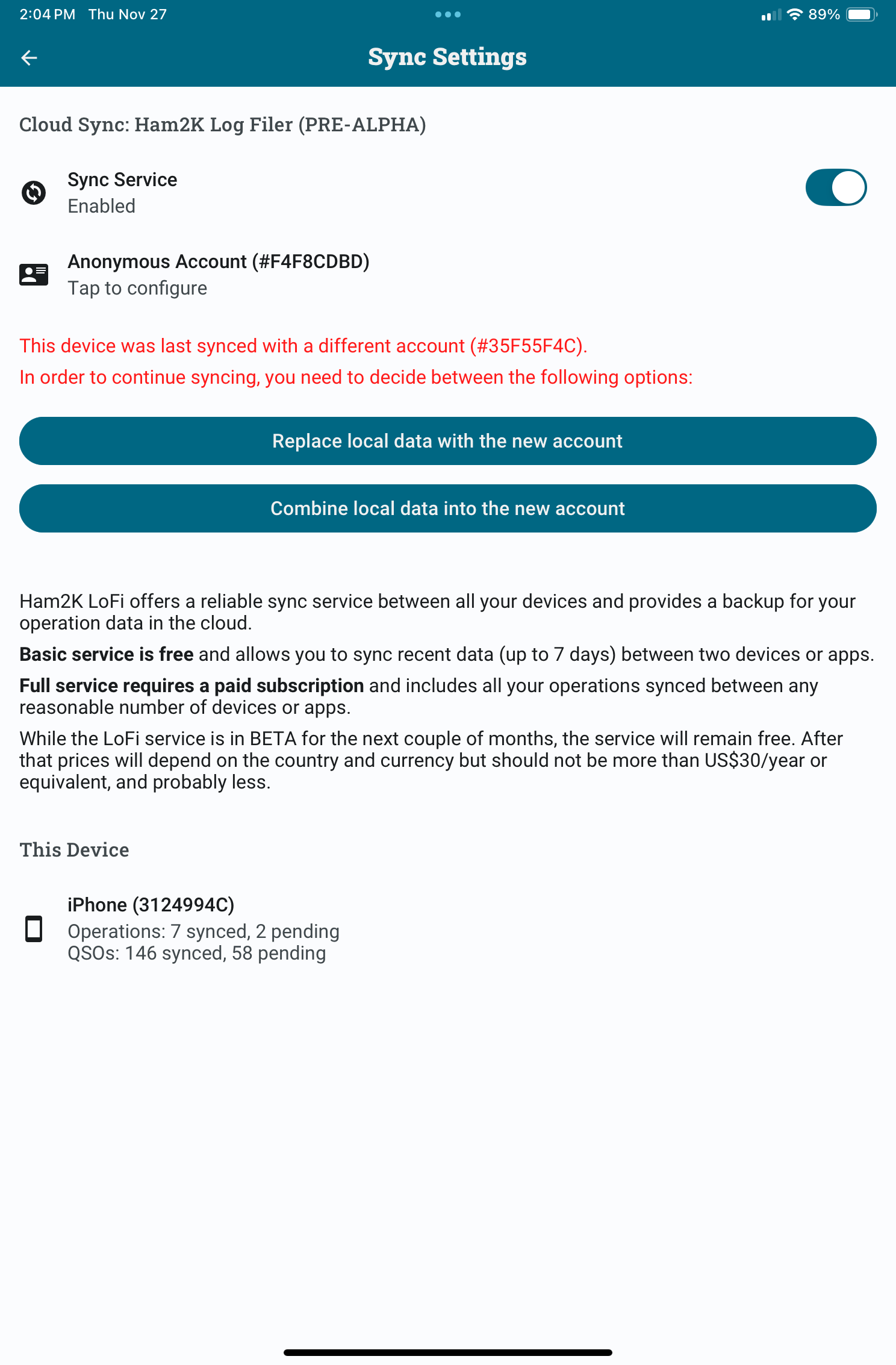
OK before you go anywhere else, tap on the anonymous account and enter your email address.
Then wait - do nothing until you get the authourising link in an email. Tap the link in the email you receive and click YES on that page.
Do the same on the other device.
When that is done, return to this page and confirm that you see your email address and not Anonymous, then tap Combine local Data.
When that is complete, come back here.
We can then talk about the amount of data you want to keep after that.
Alan
If you want to just move your data from one device to another on a one-off basis, then there is another way to do this. You may not want the syncing process at all. You can export your database from one device and import to the other.
Syncing is designed to be attractive not only to OPs with more than one device but also intended for people who see themselves using the desktop version of PoLo when it comes out.
Alan
Can you also tell us what is on the Settings|General|About page on this iPad?
Mine says this
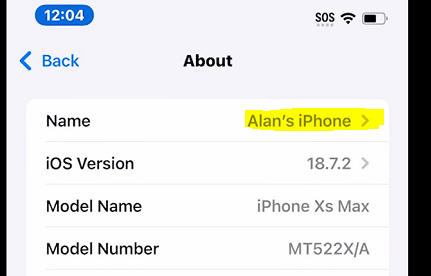
So yours says iPhone on your iPad?
Alan
Hi Alan.. tnx for the intel. Got the email confirmed OK. There was no option to do it on the iPhone but it doesn’t seem to matter. That said, I saw some level of syncing after hitting the COMBINE button on the iPad. I can definitely see the advantages of syncing! As to the logs on the iPhone, I’ll likely export them to the iPad and then just monitor the level of syncing over the course of the next couple activations.
As to my iPad, it does correctly identify as ‘Ian’s iPad Mini’ within Settings|General|About. After having confirmed my email and done the COMBINE bit, I can no longer see the page that had been saying ‘iPhone’.
To phrase it another way, it was only within PoLo that my iPad was being misinterpreted as my iPhone. My iPad did -and still does- know that it’s an iPad 
OK well be aware that the protocol for syncing is still in flux atm. Things may change, syncing may appear slow or fast.. options may change.. things like that.
Alan
Yes, and this is precisely why I’m nowhere near pulling my hear out just yet. 
Arrgh… hair!