October '25 release

The October '25 official release is out! (yes, I know it’s November already, that’s life).

  • Ham2K Log Filer Cloud Sync (alpha testing)
  • Annotations in the log (try ‘NOTE’, ‘TODO’, ‘WEATHER’ or ‘SOLAR’)
  • Auto self-spotting every 10 minutes
  • More fixes and tweaks!

Get it from your favorite (or least hated) app store.

3 Likes

Actually, Apple has not finished their review just yet, so please be patient. Should be a couple more hours.

I was about to ask.

FYI, it’s 11:30PM Central and they still haven’t released it…

There it is!

I may have found a “bug” in the recent release. When exporting a log, non-alphanumeric characters and exported incorrectly. i.e. quotes (“) = &#8220 and non-English characters (é) = &#233 (I think these are “escape codes”?)

Just another note. I preferred the “lines” between QSOs to define each one.

That’s not a bug, it’s a limitation of the ADIF standard that does not allow extended characters.

As to the lines between QSOs, what do you mean? Can you share an example?

I think he means there are no lines like this any more

And also the line height grew larger so you get fewer QSOs in the view.

Alan

PS there is a line there but it’s very faint now. And this is Android

1 Like

Yep, @VK1AO is correct, the previous version had a more “defined” dividing line, both in light and dark modes (I primarily use dark modes). As for the escape characters, I have a log export from 20251103 and it shows (“) correctly when someone has a nick name etc on QRZ, so my assumption is something changed. Specifically, the “Full” export where the app pulls the operators name from QRZ. Not a big deal, just something to catch before uploading.

I think I’ll add a setting to the Export Options to enable or disable special characters in ADIF exports.

1 Like

Is it possible to turn that function on/off manually? Is it ON or OFF by default?

It’s only enabled manually, after first sending a regular spot. And it deactivates if you change frequencies, or if you switch away from the app.

1 Like

I’m on the TestFlight iOS version of the app, (patch 3). I see a cloud icon at the bottom under the search field, with a line that seems a progress bar. I couldn’t find anything in the settings related to this. How can we test this feature? For example, restore my iPhone’s settings/logs on my iPad’s fresh install?
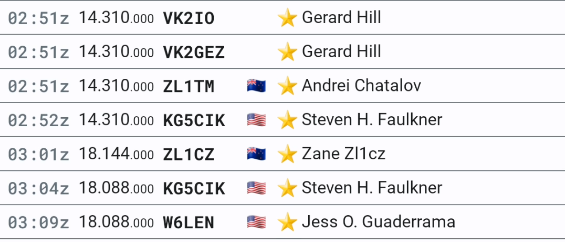
It’s still under test. Please be patient at this time.. not far off now.

Alan

I activated developer mode, so I can see the new setting, but when I click “Sync Settings” it fails with “Cannot read property ‘email’ of undefined”.

I’ll head over to the Discord to help with testing.