When using the numbers row quick buttons to input signal reports it does not automatically jump to next RST field. If I enter signal reports using the standard iPhone keyboard it does.
iPhone 17 & iPad Pro 11” 2nd Generation
When using the numbers row quick buttons to input signal reports it does not automatically jump to next RST field. If I enter signal reports using the standard iPhone keyboard it does.
iPhone 17 & iPad Pro 11” 2nd Generation
And in Logging Settings, have you enable the “Jump to next field in RST entry” feature?
Alan
Hi Alan, yes of course - as described, the feature is working when I use the iOS keyboard or a physical keyboard (iPad).
OK - I cannot duplicate this on my iOS 18 Feb Patch 12.
What PoLo version are you running?
Does the space bar jump to the next field?
Alan
Also Feb 26 patch 12. Yes the space bar works for both the iPhone standard keyboard and the button row.
OK Tony so, same PoLo, but I am 18 ios and you are 17 ios. That shouldn’t be the issue.
I have “Periods in numbers row” enabled (in “Show Numbers row”) - do you?
I have Comma and Use vibration disabled. Match?
Alan
No I am on iOS 18 - iPhone 17.
Periods in numbers - YES
Comma in Number - NO
Vibration - NO
Can’t see why that should make a difference but hey ho. Im going to be on the road for a while so will keep an eye on this thread but might not respond quickly. Thanks for checking your version - can you confirm - when you type an RST in the first field using the numbers row (not the iOS Keyboard) that it immediately jumps to the next RST field - this is not happening for me even to set to ON. I tried to attach a screen grab movie her but it won’t allow video so I made a YouTube short in which In first try the numbers bar then the iOS keyboard - you’ll see the key presses
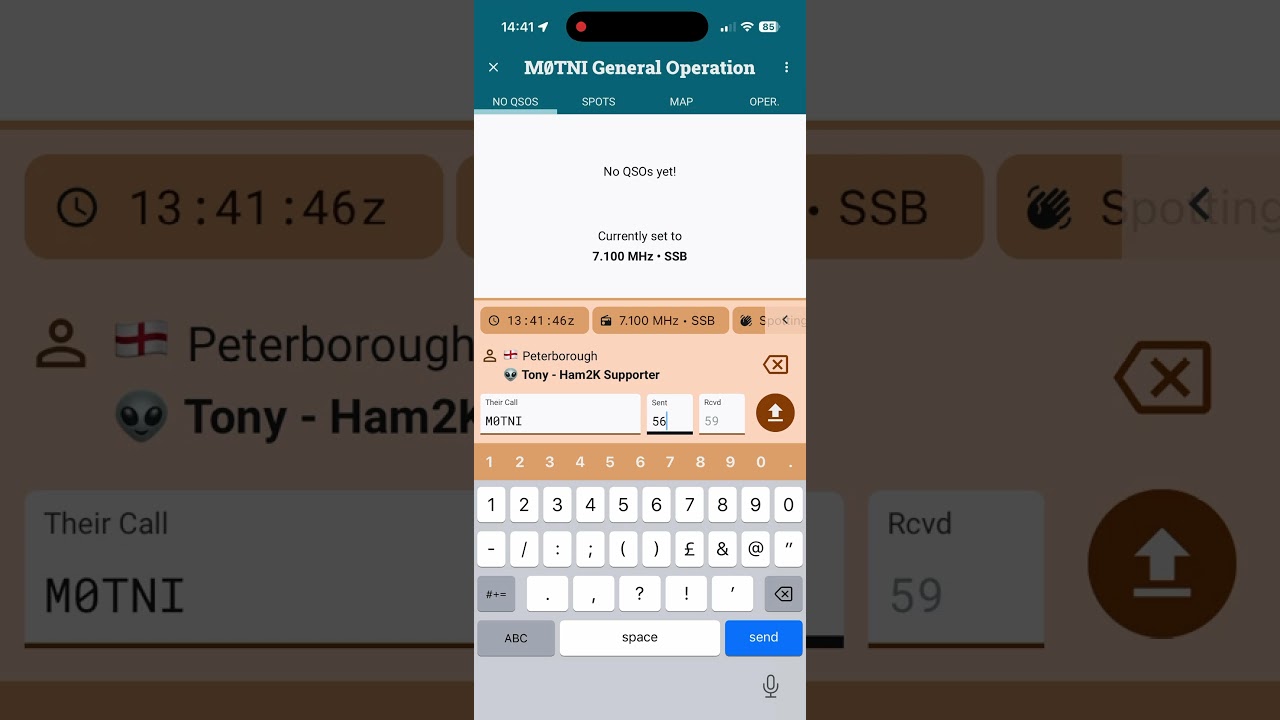
The additional - top row - numbers entry on iOS is to assist with the entry of callsigns without having to switch to the number view and back again.
On Android, the number row is visible all the time so this extra number row is not required.
When both number rows (OS and application built) are active, it is not possible to catch/prioritize the action of one number key press over the other. So when you enter the RST, iOS will switch to the number keypad for entry of number fields.
I was naturally using the lower OS numbers when I enter RSTs. In fact, I never enter RSTs - I have them turned off but if I were to ever set them I naturally jump to the lower row and the fields jump accordingly,
Alan
OK so basically no problem I just need to remember to use numbers on iOS keyboard if they are present as they are for entering RST. I normally use a physical keyboard on the iPad, this was my first time using the iPhone in earnest in the field doing a UKBOTA having done many before with iPad. Thanks for explaining what is going on.