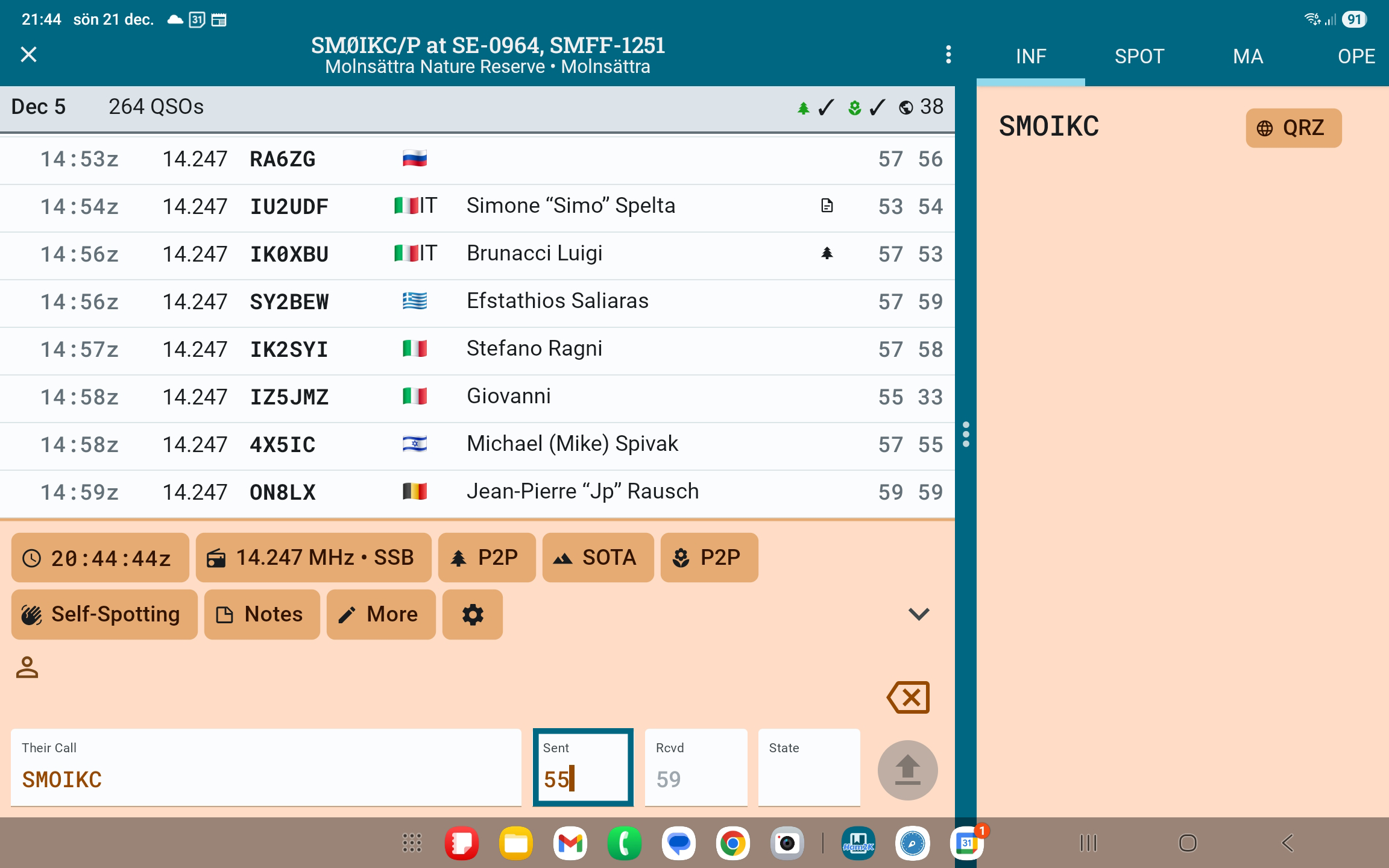
Too many times I found myself unknowingly messing up the callsign in the current qso entry. When I doscovered my bad the other guy is already 44 TU - gone. So I can´t ask. Frustrating.
This mostly happens when I attempt to correct a RST entry while the cursor actually is in another field (like callsign field).
To somewhat mitigate the risk of unknowingly editing the wrong field I suggest lighting up / framing the active data field at a degree where one cannot miss it. I attach an edited screendump demo pic.
It would also be very nice if the user could adjust the font size in the entry fields - without affecting other text elements on the page. TNX / Tom SM0IKC
There’s been a lot of work lately with font scaling and balancing device and application scaling effects. It’s also a challenge when so many different devices are in use which each have their own screen aspect ratio, pixel and font scaling measurements.
It’s a good suggestion but I think we will need to see things settle down from the current round of modifications before we tackle individual field sizing.
You might have to make do for the moment with setting an application wide setting that suits the entry field size you most like.
Thank you for the reply, Alan.
I get what you are saying and obviously you are managing some complexity regarding font management. It works ok as is.
But what do you think about my primary feature request,optically framing / highlighting the active entry field? To avoid inadvertantly editing the wrong field.
Pls refer to the screenshot, the blue frame I draw around the RST entry field, highlighting it as the active entry field. Could this be implemented, you think?
Fyi, I use a Galaxy tab 10” on a Samsung mechanical keyboard. It´s a really good companion during my many activations. Sometimes I use my fingers on screen to place editor promt while I use the space key often to jump to next entry field. It usually works very smooth, exept when pileup stress meets fat fingers.
Thank you for developing the PoLo app, it sort of made me leap into the realm of POTA and WWFF with the ease and joy it brings.