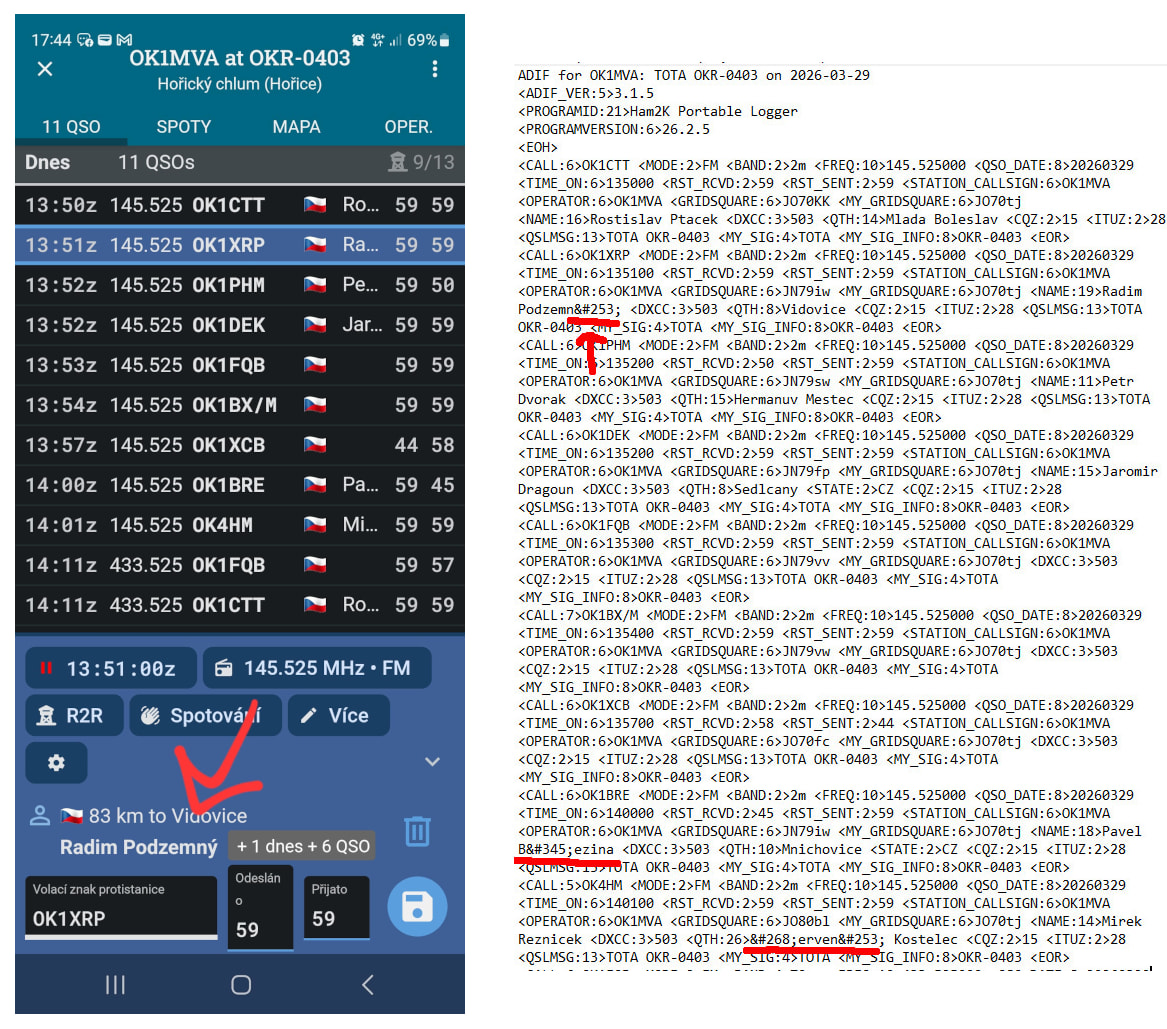
I’m having an issue with diacritic (non-ASCII) characters. They display correctly in the mobile app, but when I export to ADIF, they become corrupted. When I then upload such an ADIF file to, for example, QRZ.com, everything appears broken.
Could you please fix this? If handling diacritics is problematic, I would prefer replacing them with ASCII characters. For example, replacing “Ý” with “Y” and “Č” with “C”.
Ah, sigh, this particular issue has been a long-standing problem with ADIF.
I’ve been fighting for months in the ADIF discussion groups (see here) for a standard way to include extended characters, but for now, using “html entities” (what those “ý” sequences are called) is the only way to not lose information.
What sounds like a simple “replacing ‘Ý’ with ‘Y’ and ‘Č’ with ‘C’ “ is not quite trivial and might require different rules for different languages.
If ADIF ever decides to implement any kind of UTF-8 support, I’ll adopt it right away on my apps, and will probably build some kind of online conversion tool to manage all these variations.
It’s embarrasing that the ham world has not managed to fix this issue. Unicode and UTF-8 have been broadly accepted standards for more than 20 years.
Go to your own logbook on QRZ and try to directly add a QSO with OK1XRP, and they will misencode their own data and show their name as “Radim Podzemný”.
Could you please add an option to the settings to remove diacritics instead of using HTML entities? Let everyone choose. I would prefer only ASCII characters - but readable. Thank you.