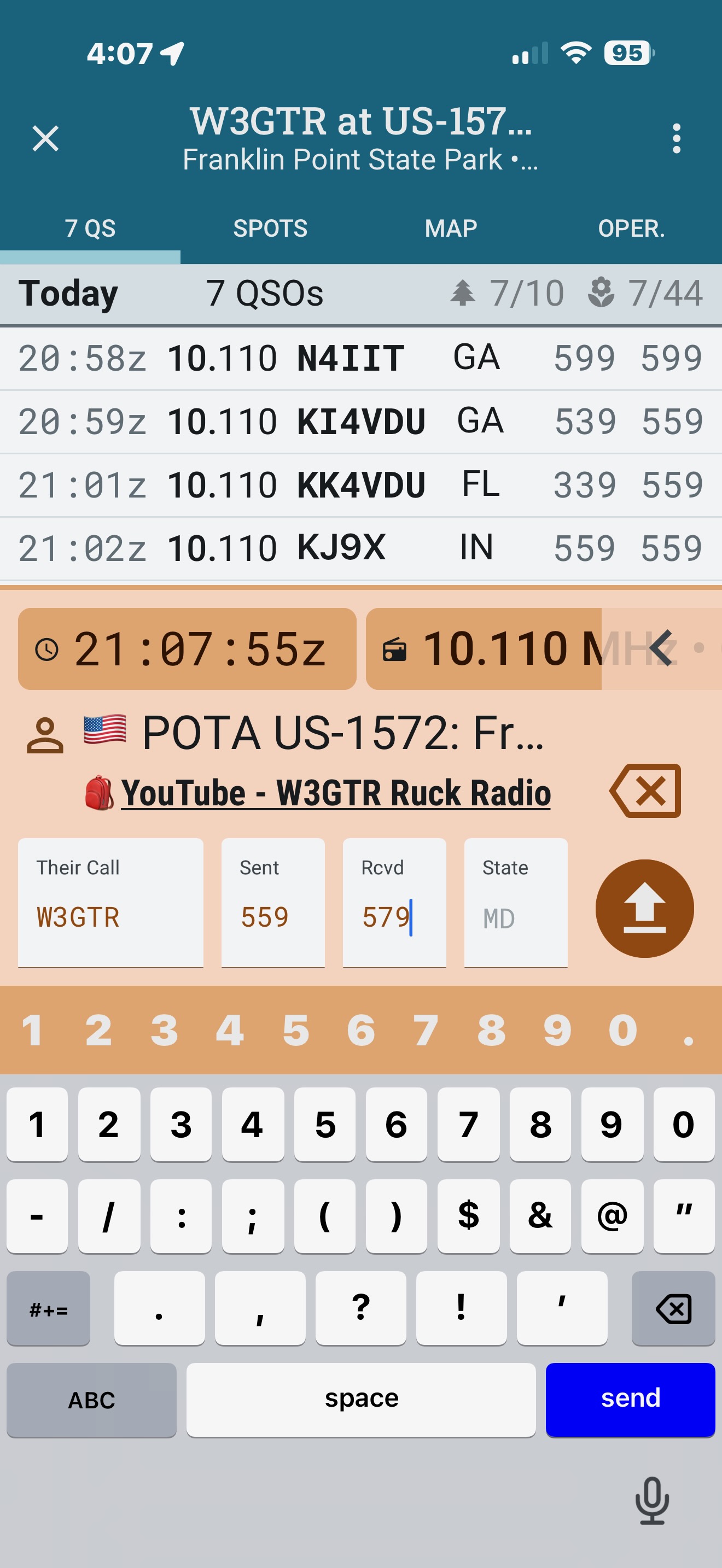
One of the best features ever for POLIO for me was I did not need reading glasses to use it. Polo updated today on 11/24/2025 and fonts got smaller. Not I have having issues using app the log. I did an activation today and really struggled all through it and this was the first time about of 300+ activated I had this issue. Please advise on font issue. I am using iphone 16 pro max with latest IOS on it. Please advise de W3GTR
There were 2 or 3 updates marked 25.10.4 making adjustments to font sizing. Can you confirm the exact build you have on the Version Information
It should be 25.10.11121
Alan
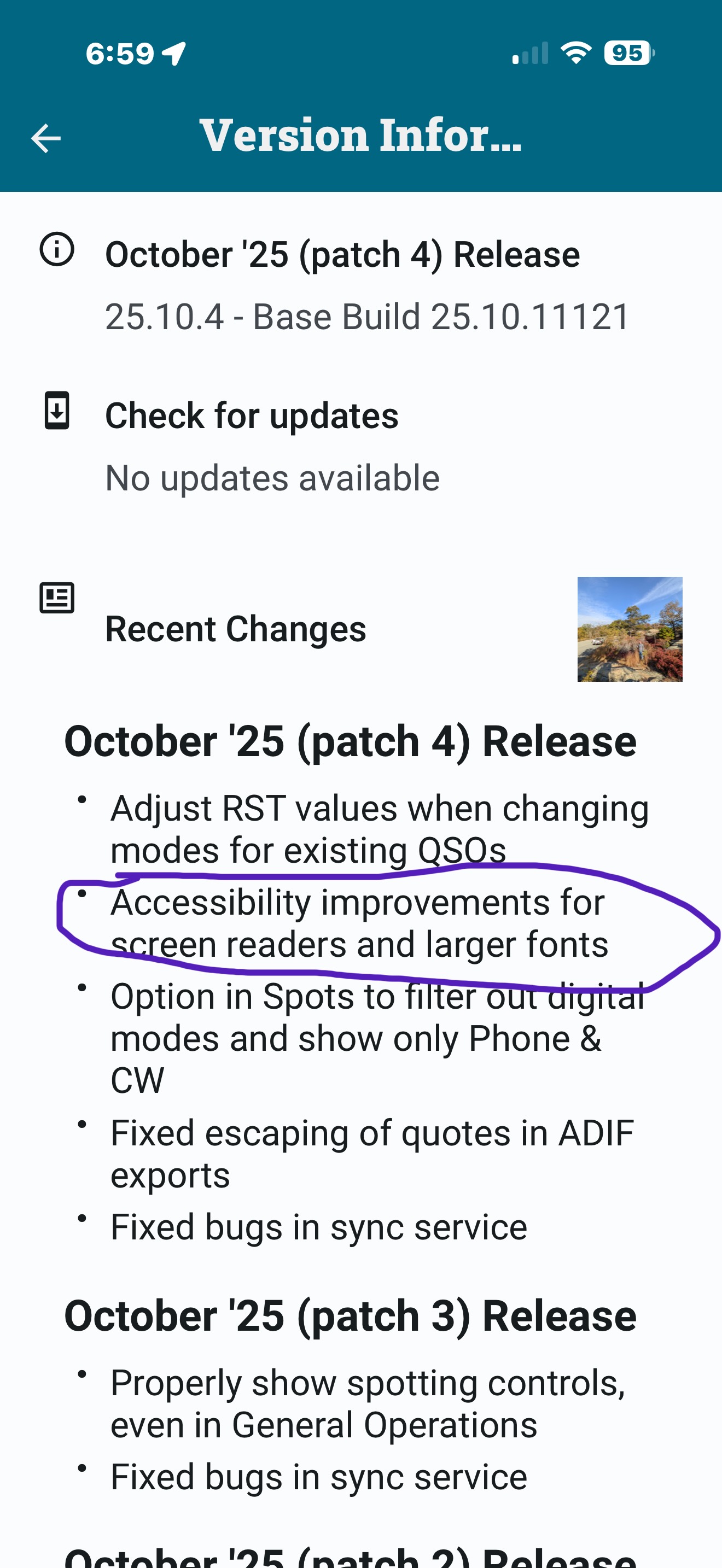
The adjustments made recently actually made the app more responsive to the font size selected on the device.
Have you gone to the device Settings|Display & Brightness and increased the font size there? To see if you can find the size you prefer?
Alan
Yes, my eye sight is not the best, so I make good use of my iPhones accessibility features. I have large fonts on with a larger then normal font selected as well as bold font set, but this is not what is displaying on the Ham2K. If you see that screen shot, you’ll see other fonts on the screen are large but the input fields, the font is very fine, and small compared to the rest and this is mainly what I need to be able to see when operating. I am hoping this can be fixed, I love Ham2K Polo, but if I cannot see it and need to use reading glasses to operate, I’d have to find another solution. The eye sight struggle is real. cheers W3GTR
The next update, “patch 5”, should fix these issues. It will also include a new setting “font scale”, that lets you better fine tune the font size in general.
3 Likes
Awesome Awesome Awesome!!! Thank you so much. Made by day. Happy Thanksgiving.
1 Like
Great to see these options, thanks. Was recently on a tour with a buddy with eye sight limits, this might help him to use Polo well.
Was wondering on the difference between the “Largest” and “Smallest” settings. I noticed then in the “Largest” position that the entry line offers nice proportions and the entered Call/RST are visible well in the white entry fields. Looks really good in this mode even on a smaller phone screen.
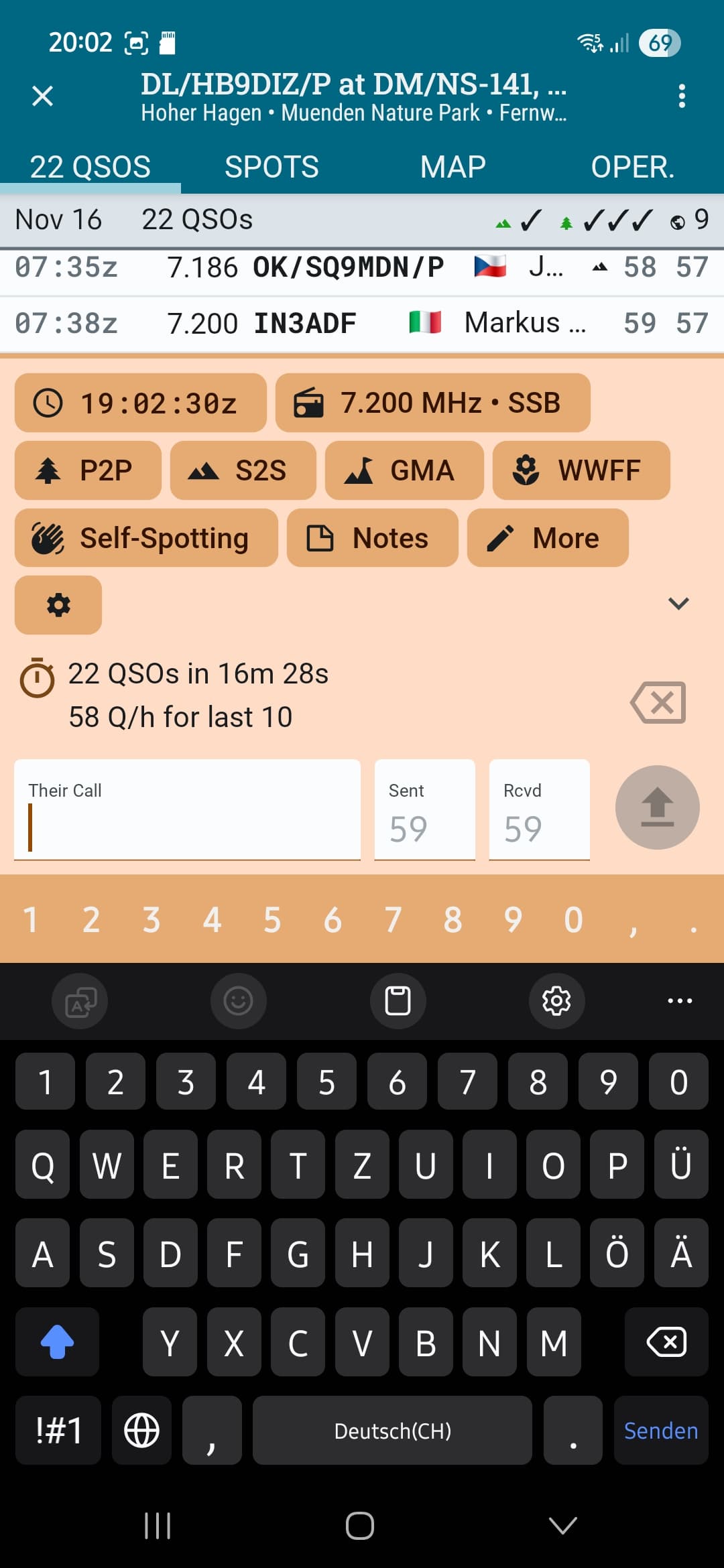
Switching then on “Smallest” for the same window was also a good experience for me since I can still read and enter the data well.
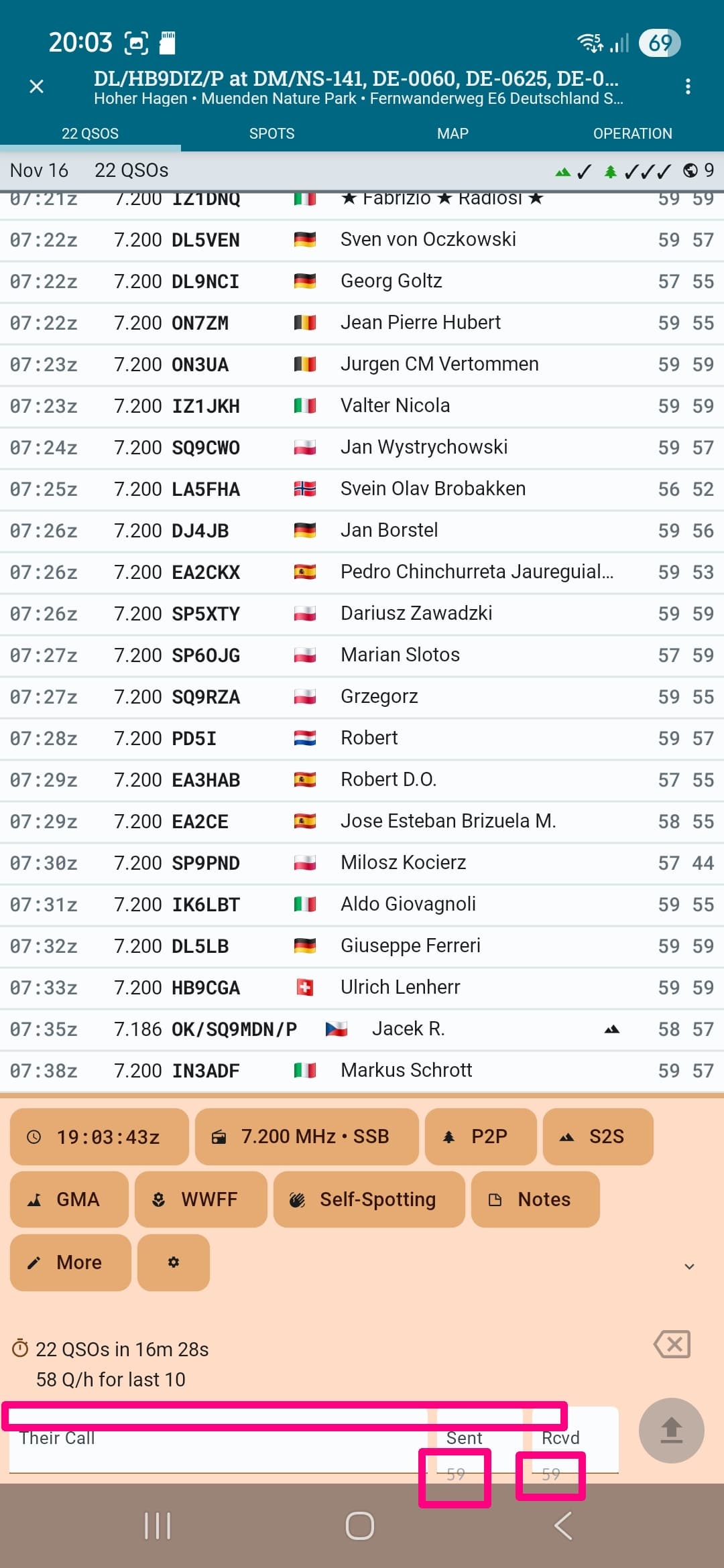
I only suggest to do a fine tuning to the positions of the Call/RST data and to aim that they are back in the white entry fields again. Looks like the top margin (above “Their Call”) is constant for all font sizes but probably should be proportional to the scaling factor.
Vy 73, Markus
Sebastián,
Thanks for adding the font size section. Some input on it. I now have to set the font to extra large just to get the font to were it was originally before the font size section was added. It would be very helpful to be able to make the front color black 000000 and a bit bolder in the entry fields I feel the font color is not really 100% back so for folks with eye issues like myself, I could use a bit more contrast. Can add a switch for bold font just for the entry fields? Everything else in tyhe app is plenty large to see. It’s just the entry fields am am strugging with.
I hope this feedback helps. Its real life struggle feedback  Cheers de W3GTR
Do you normally enable the High Contrast setting in your phone’s general accessibility options?
I might do something around that, instead of adding yet another option inside of PoLo, if at all possible.
No, I normally do not have to as most text is black on white or white on black. Ham2K Polo has red text. See my below example. Just by making the test black, it would be much easier to read. de W3GTR. Orignal text is on top. My text is on bottom. My text example may be a little smaller but you get the idea.
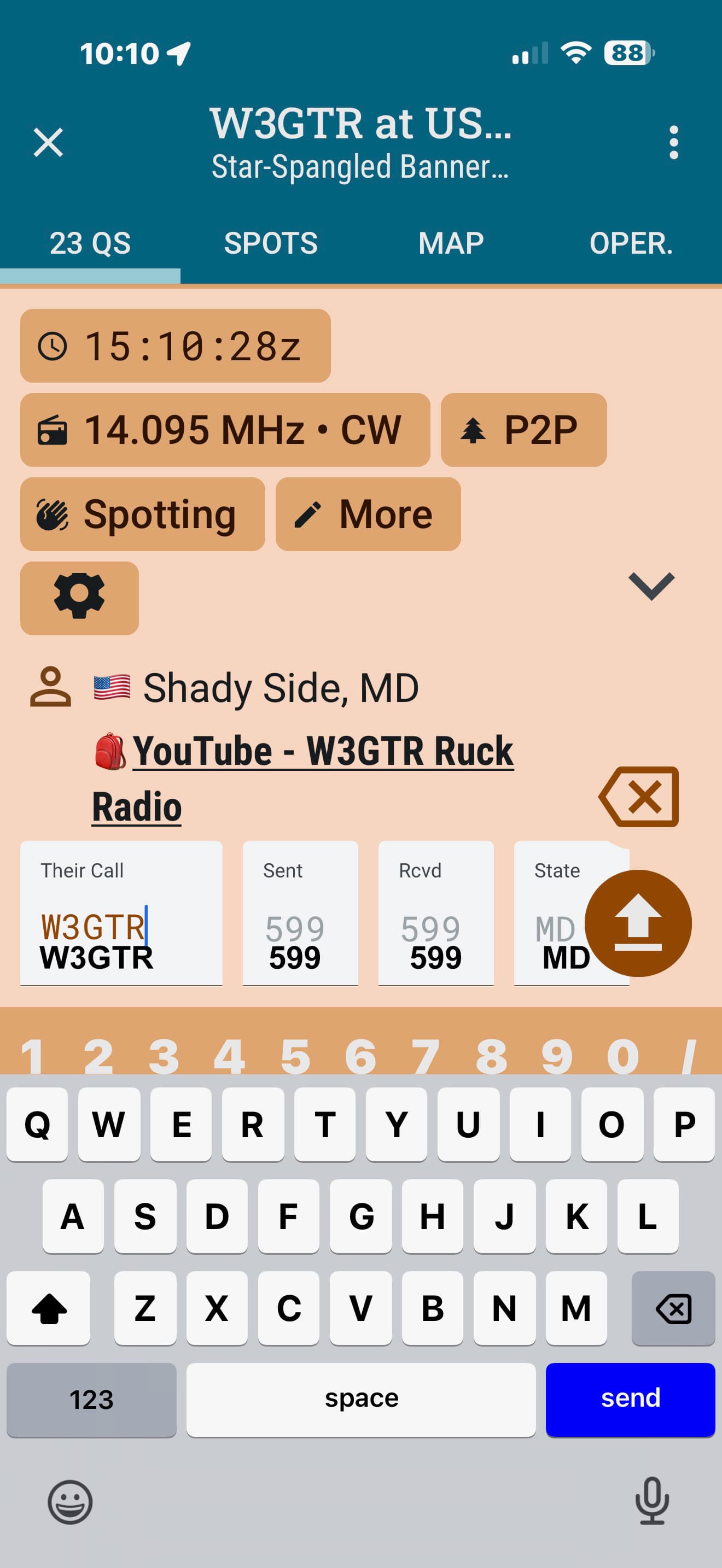
I see what you mean. I’ll take a look later today.
Thanks so much for listening. I really do appreciate it. A lot of older folks are getting into POTA and I always suggest your app. Us older guys need all the help we can get when it comes to our eyes. Also we’re dealing with being outside, sunlight and all sorts of other challenges. Everything and anything that can make it easier to log is always welcomed. Cheers de W3GTR
1 Like